
Take HubSpotinto the field
Manage field technicians and installers on the go directly from HubSpot.
- Optimized use of Hubspot Seat
- A plain and simple backend for Field Service Management
- A digital report that automatically updates the CRM
30 minutes, no commitment. Response within 24 business hours.
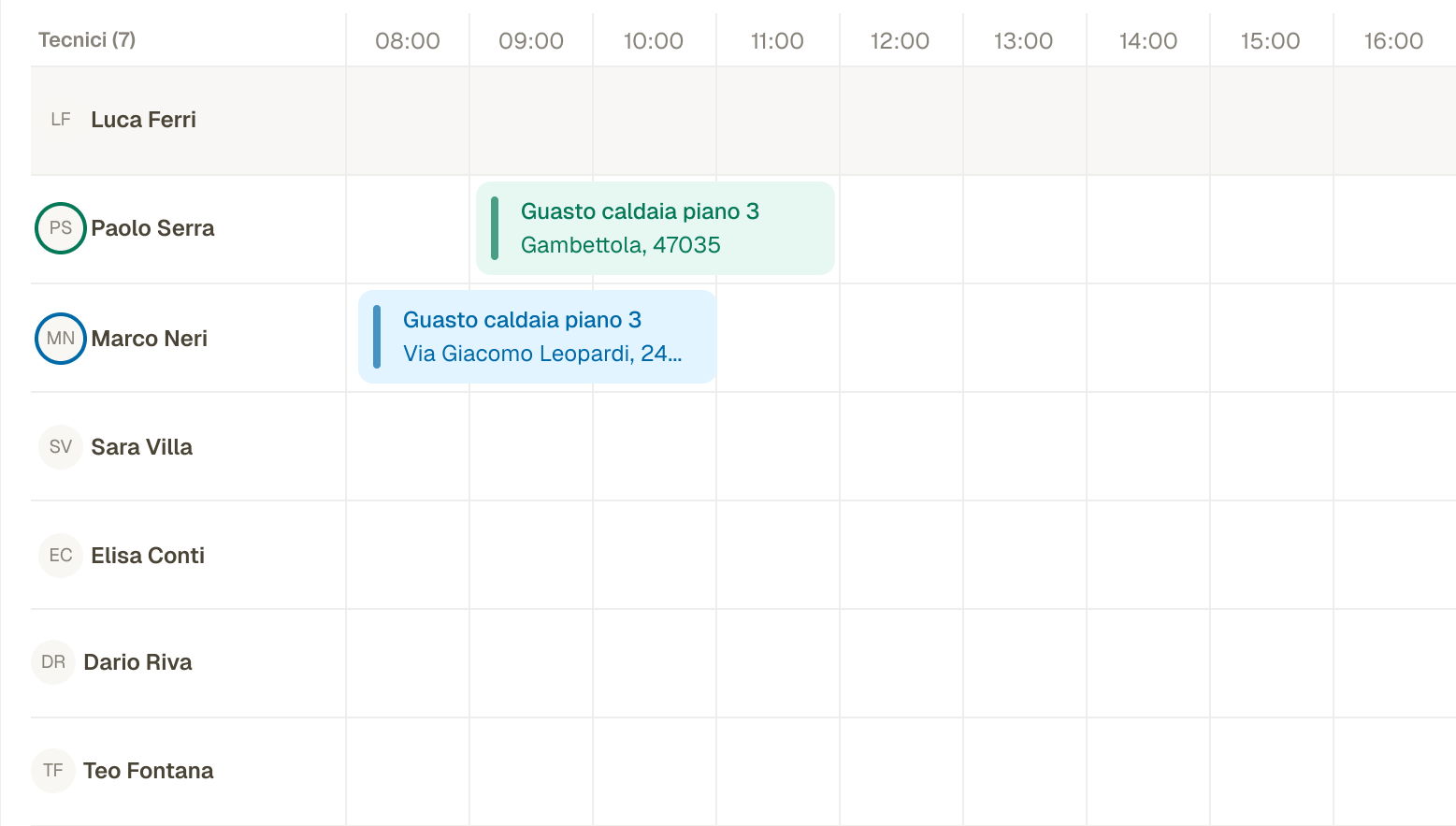
From customer request to completed job
Fieldup is built on HubSpot. Every piece of field data stays there, ready for your dashboards, workflows and third-party tools.
Step 1 of 6
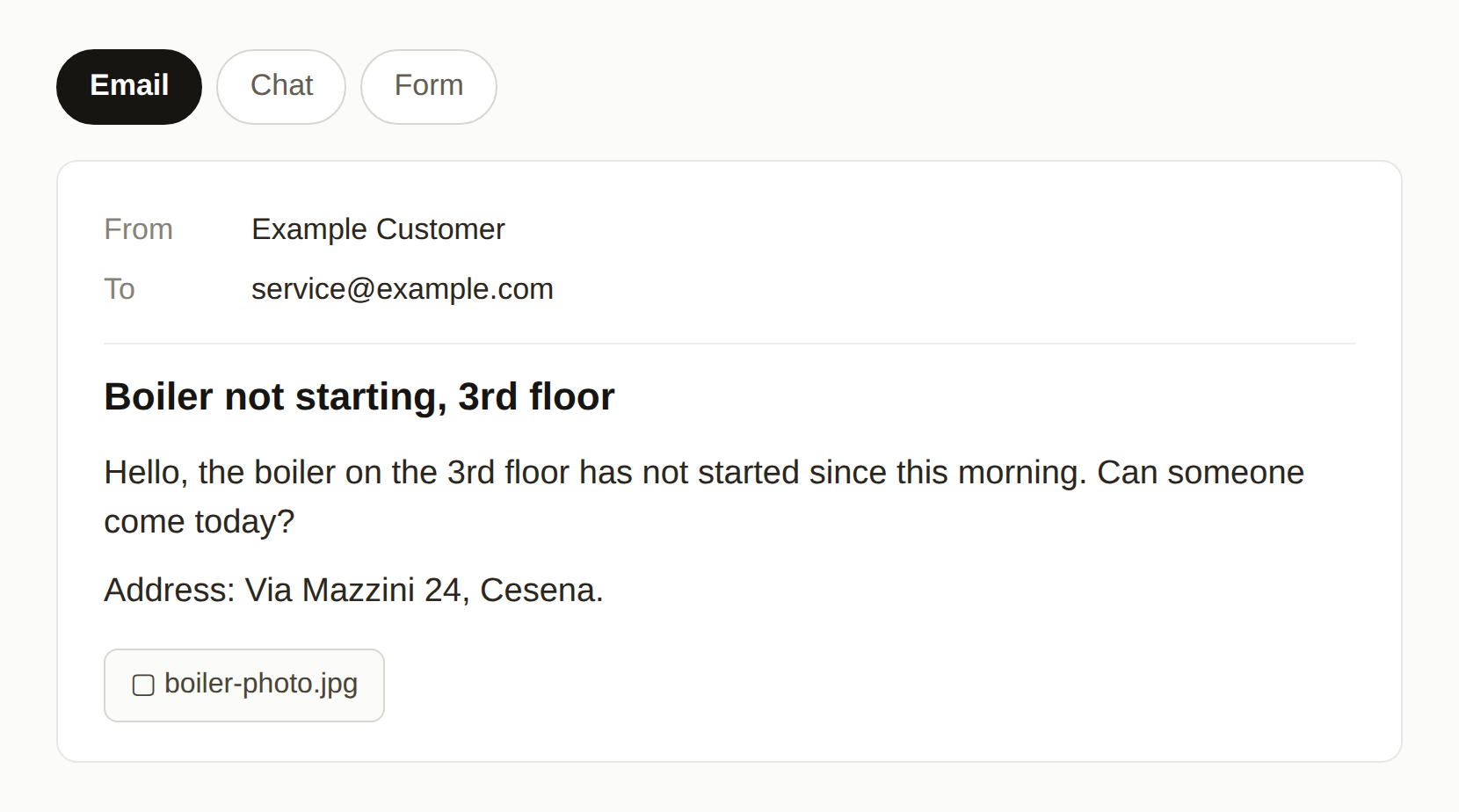
Request
A customer request comes in by email, chat or form.
WHEREYour inbox or website
See it in the product
ILLUSTRATION
Step 2 of 6
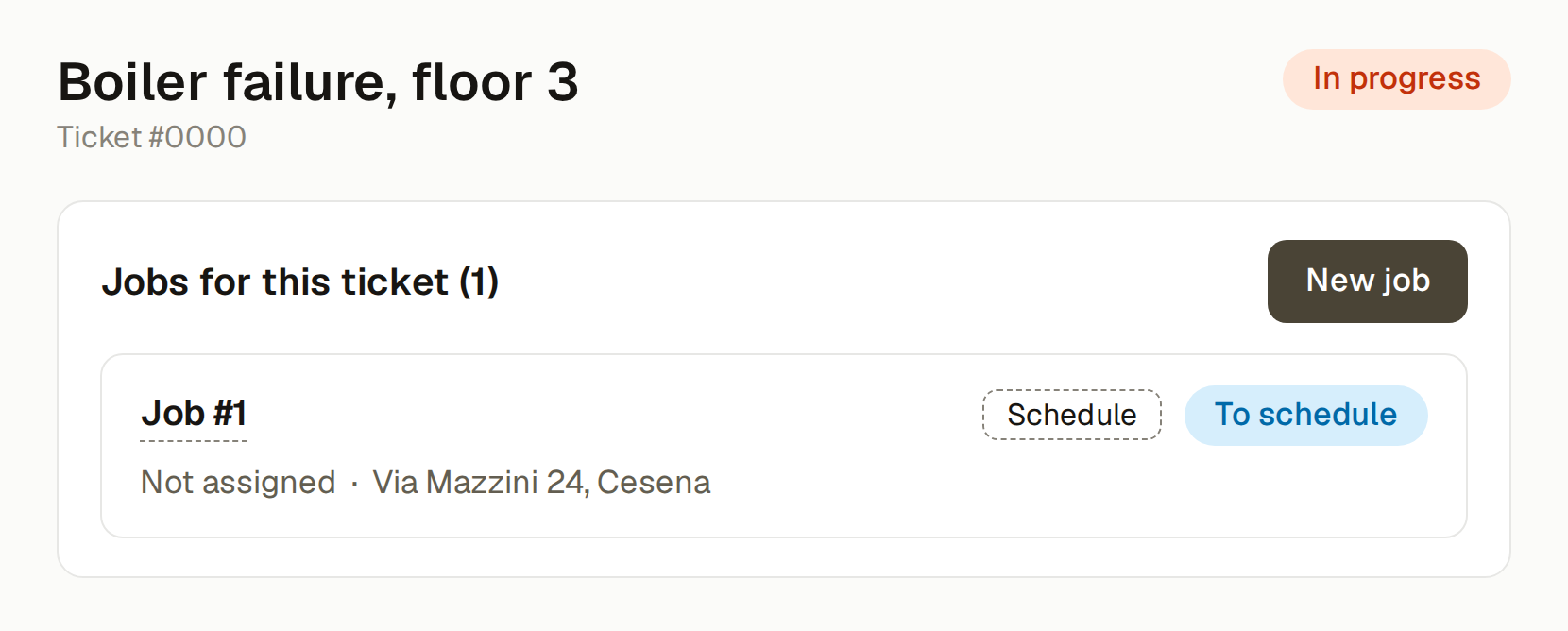
HubSpot ticket
The request becomes a ticket in HubSpot. From the ticket you create the job, without leaving the CRM.
WHEREHubSpot
See it in the product
ILLUSTRATION
Step 3 of 6
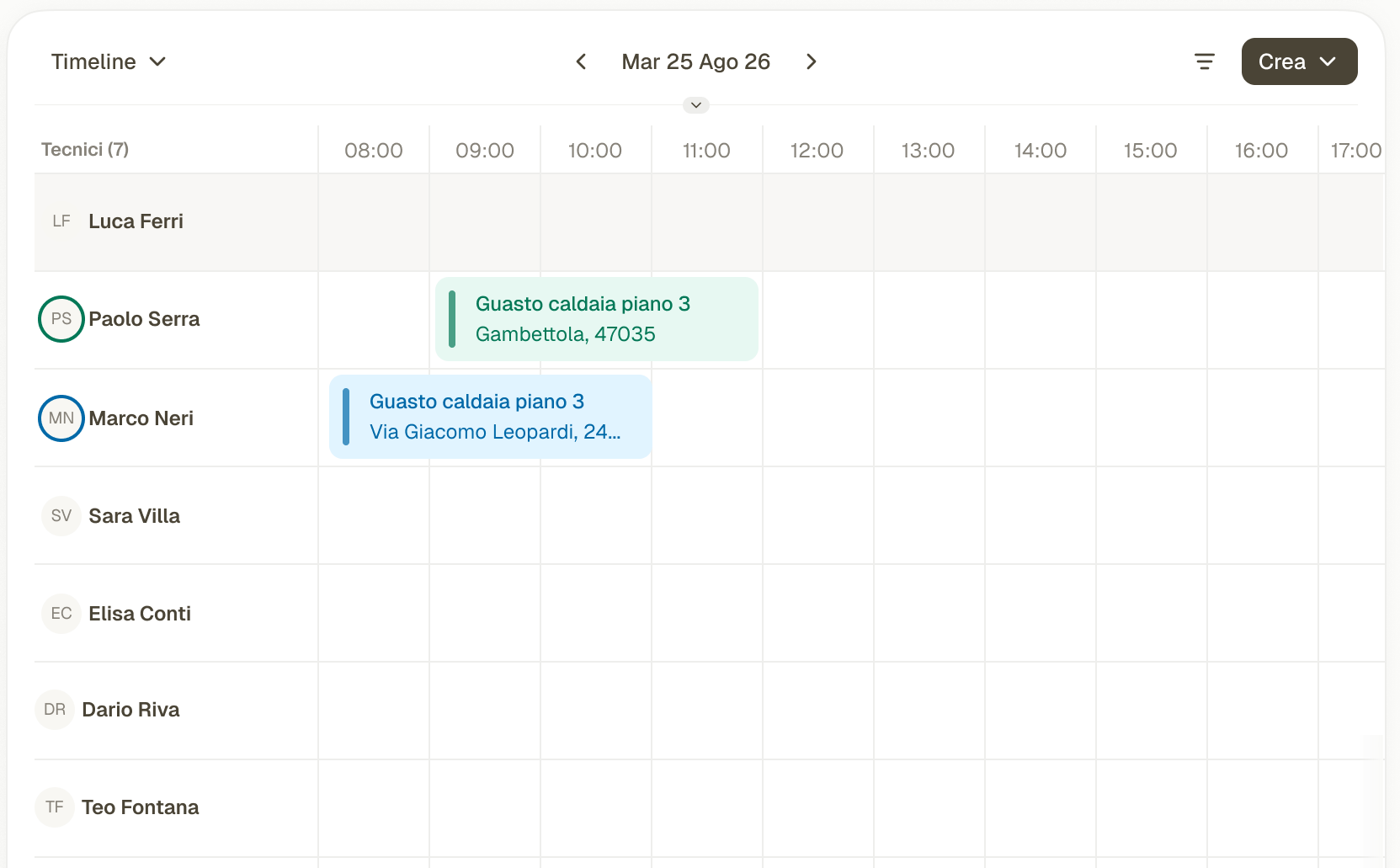
Assignment
The back office picks the technician and the time. The job appears in the technician's app.
WHEREFieldup back office
See it in the product
SCHEDULE
Step 4 of 6
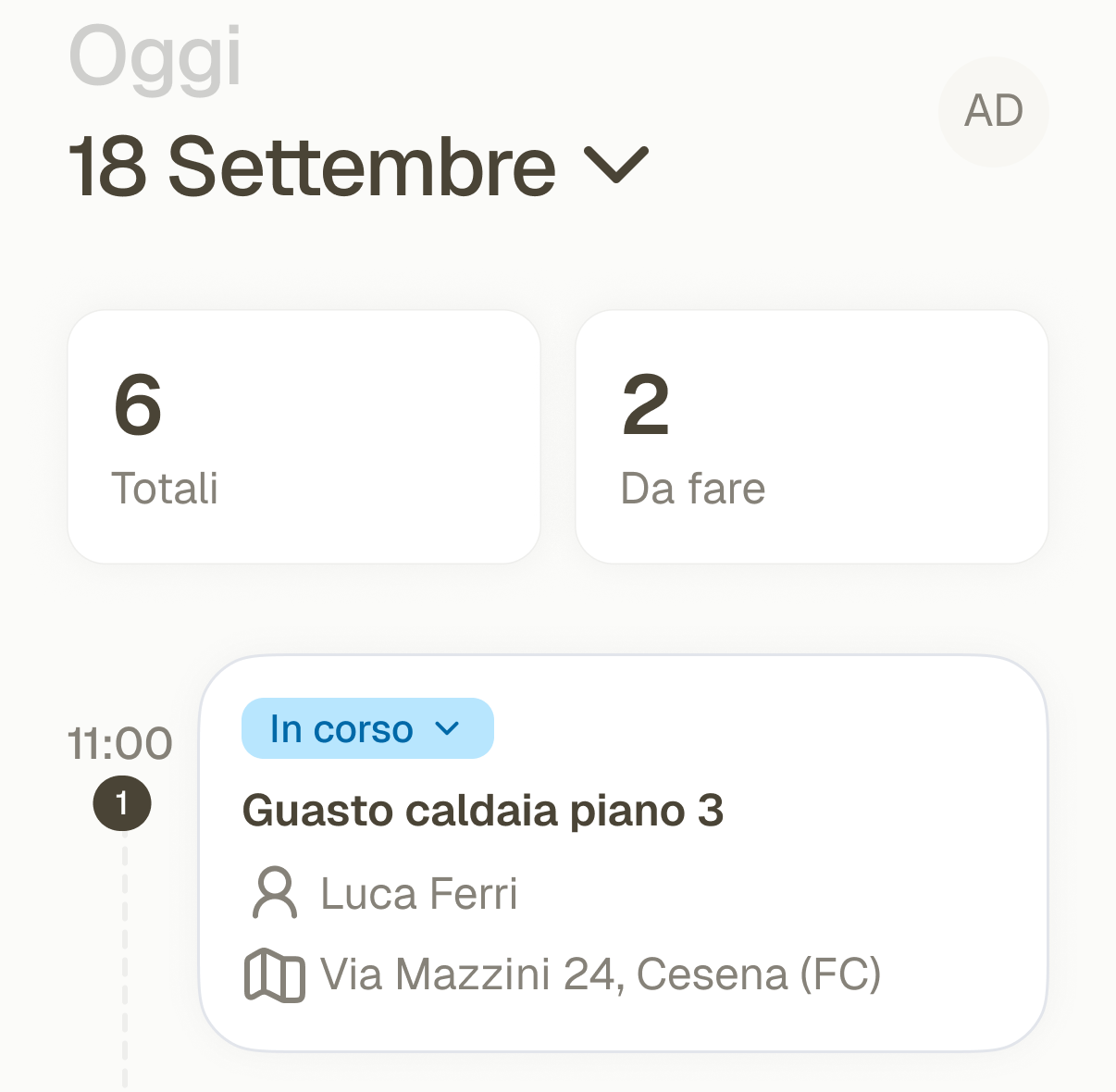
On site
The technician opens the job on their phone and updates its status.
WHERETechnician app
See it in the product
TECHNICIAN APP
Step 5 of 6
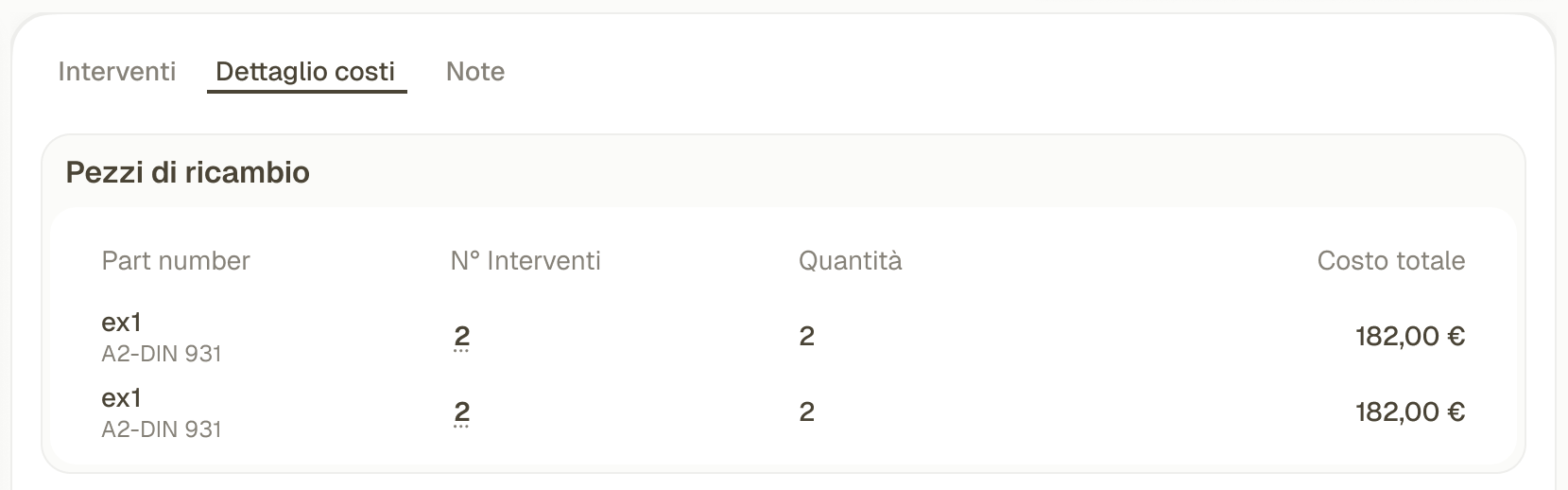
Job report
The technician fills in the job report. Spare parts and costs are added to the job.
WHERETechnician app and back office
See it in the product
COST SUMMARY
Step 6 of 6
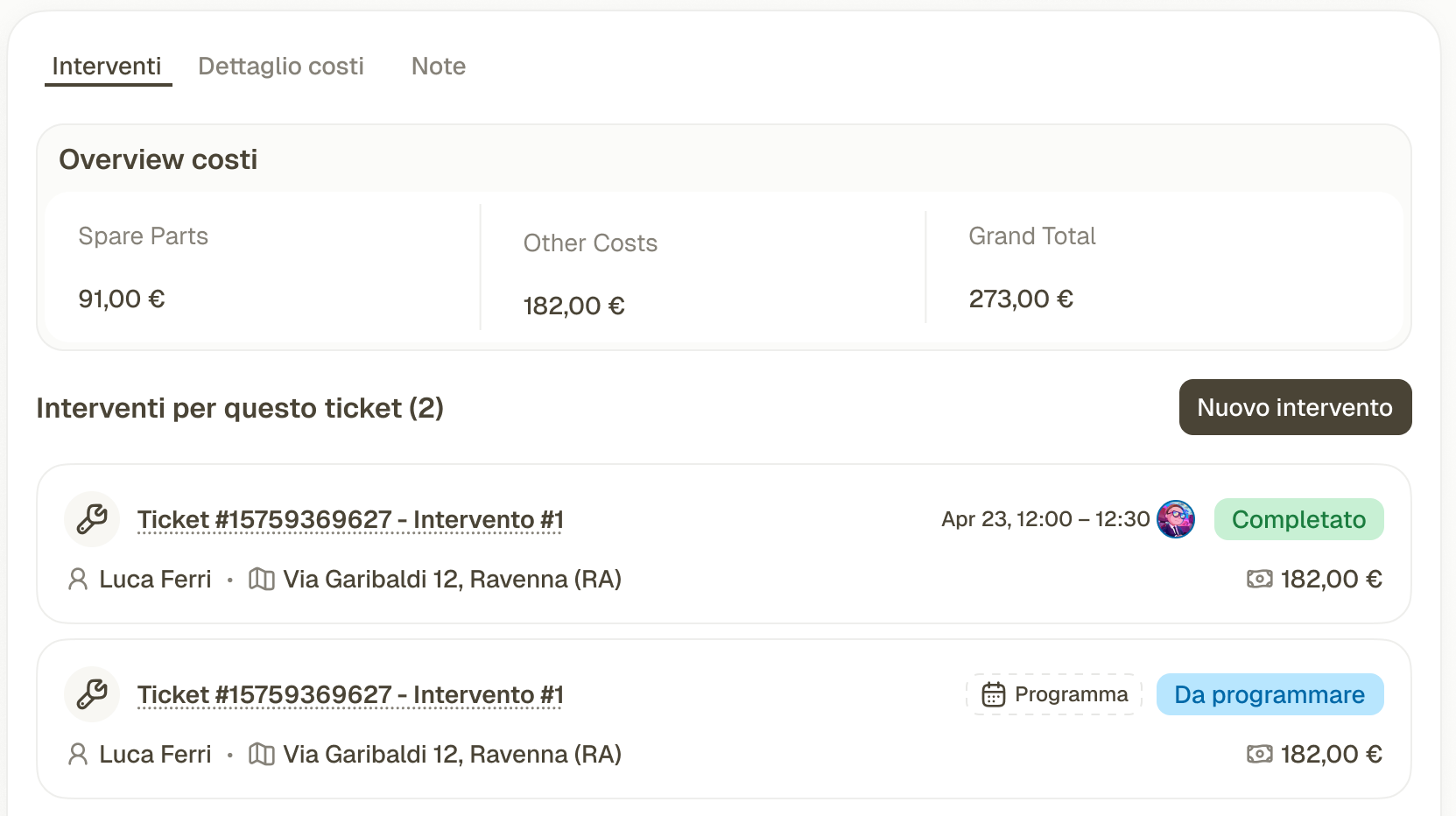
Ticket updated
The job report and costs show up on the ticket, in HubSpot. Nothing is typed twice.
WHEREHubSpot
See it in the product
JOBS
Request
Step 1 of 6
Request
A customer request comes in by email, chat or form.
WHEREYour inbox or website
See it in the product
ILLUSTRATION
HubSpot ticket
Step 2 of 6
HubSpot ticket
The request becomes a ticket in HubSpot. From the ticket you create the job, without leaving the CRM.
WHEREHubSpot
See it in the product
ILLUSTRATION
Assignment
Step 3 of 6
Assignment
The back office picks the technician and the time. The job appears in the technician's app.
WHEREFieldup back office
See it in the product
SCHEDULE
On site
Step 4 of 6
On site
The technician opens the job on their phone and updates its status.
WHERETechnician app
See it in the product
TECHNICIAN APP
Job report
Step 5 of 6
Job report
The technician fills in the job report. Spare parts and costs are added to the job.
WHERETechnician app and back office
See it in the product
COST SUMMARY
Ticket updated
Step 6 of 6
Ticket updated
The job report and costs show up on the ticket, in HubSpot. Nothing is typed twice.
WHEREHubSpot
See it in the product
JOBS
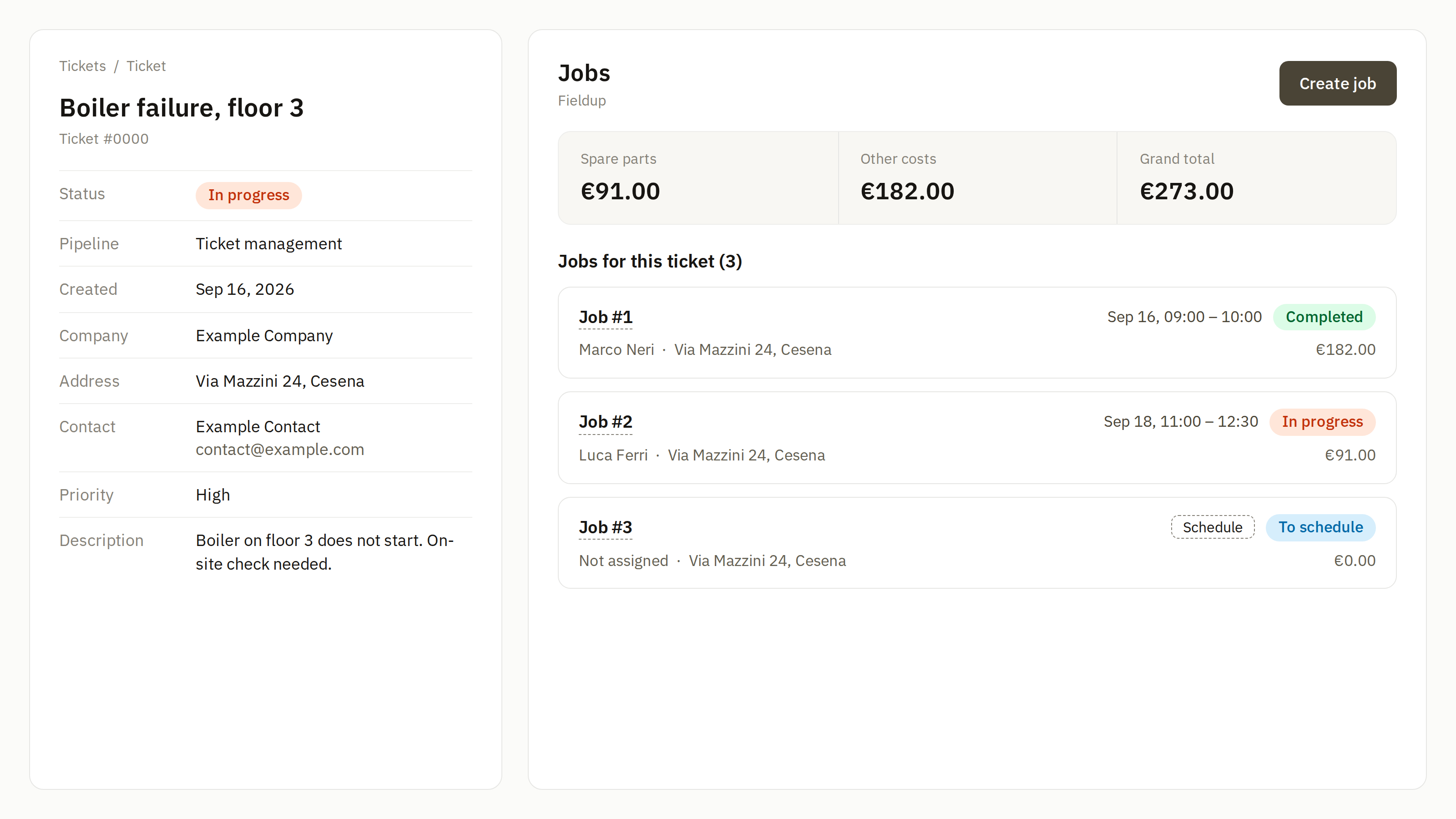
One job, from ticket to report
-
Create the job from the ticket
From the HubSpot ticket, with custom cards, without leaving the CRM.
-
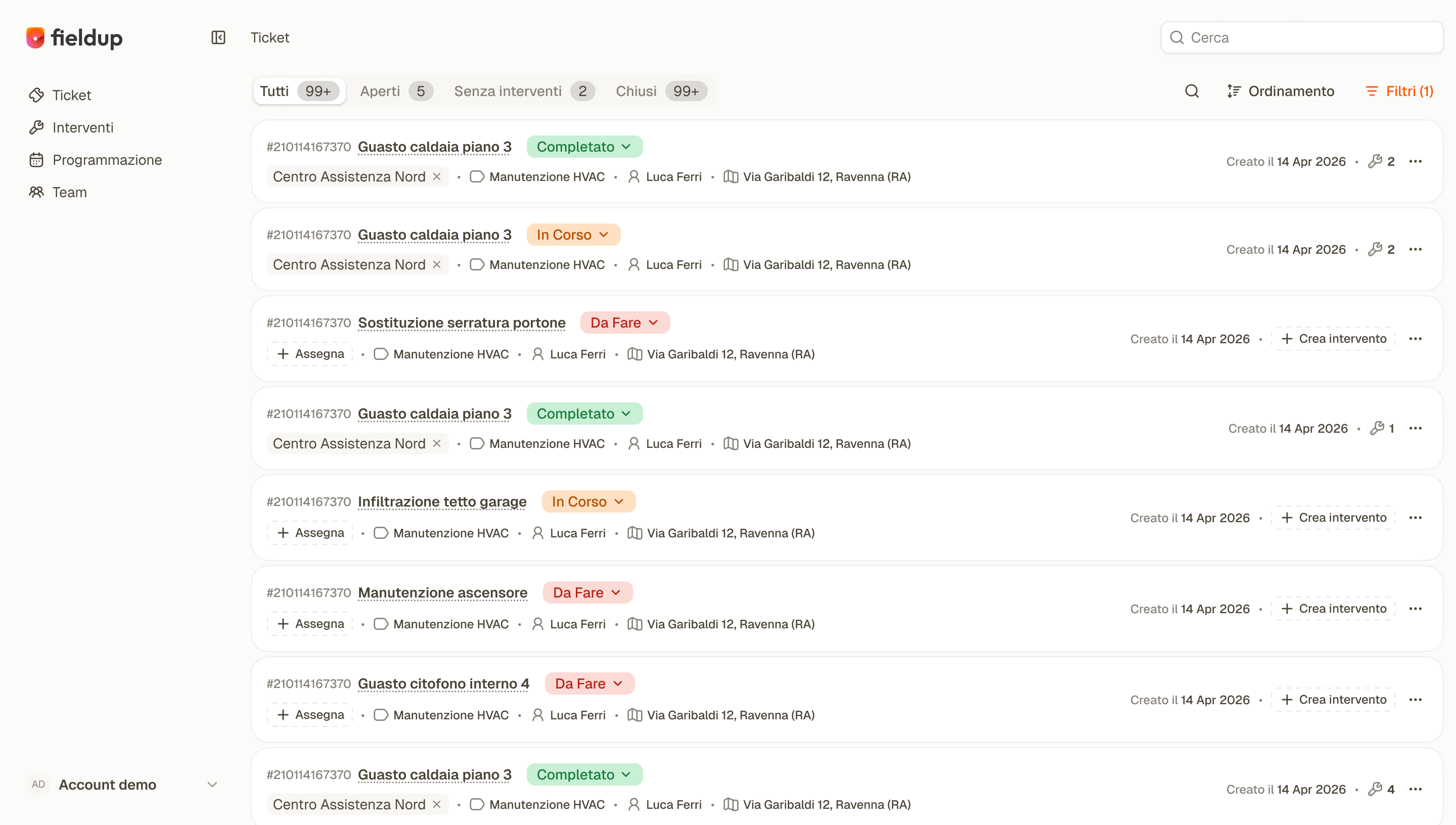
The whole office in one view
Tickets, jobs and costs in one view for the office.
-
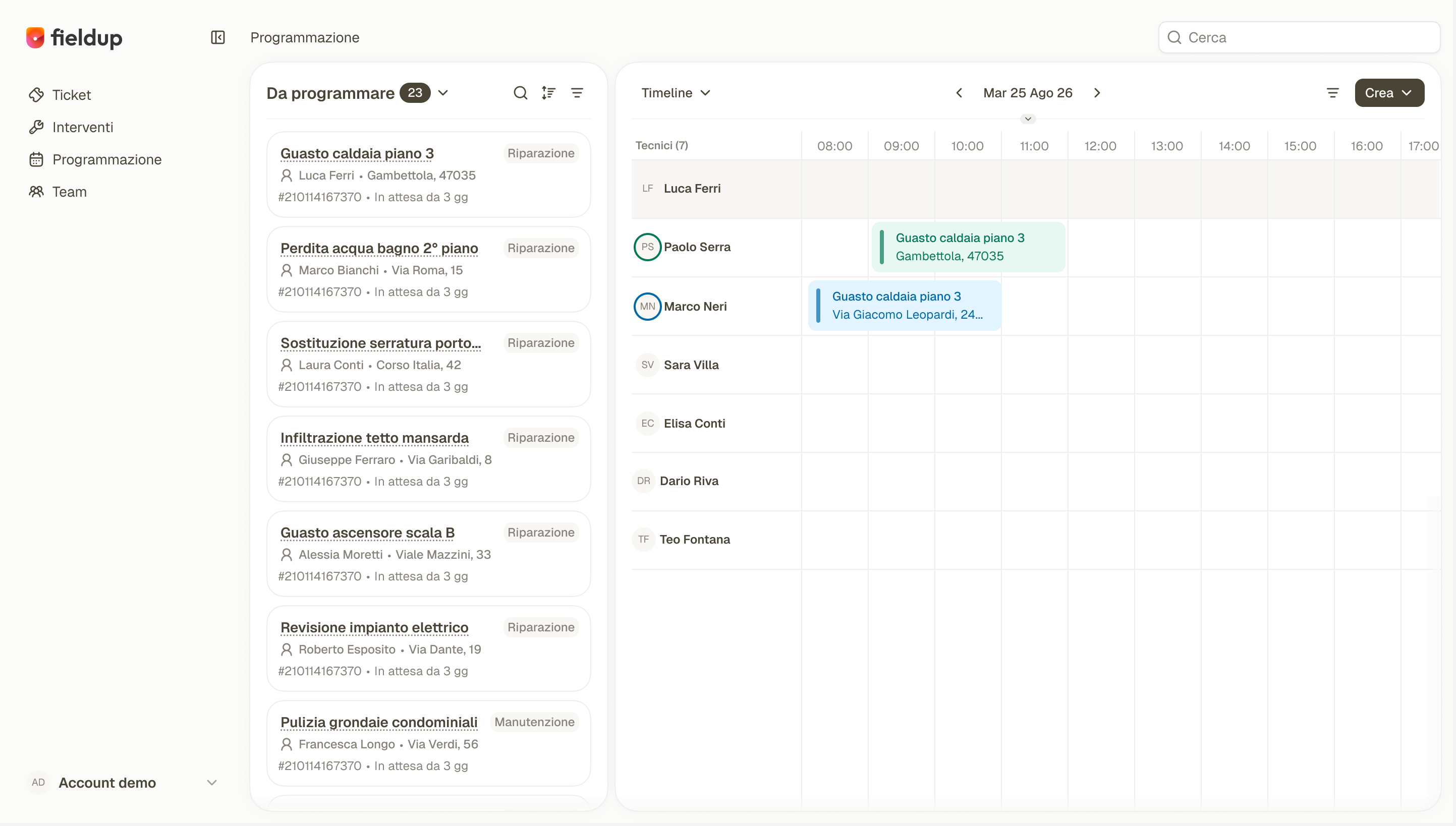
Who works where, and when
A calendar by date and technician, with job assignment.
-
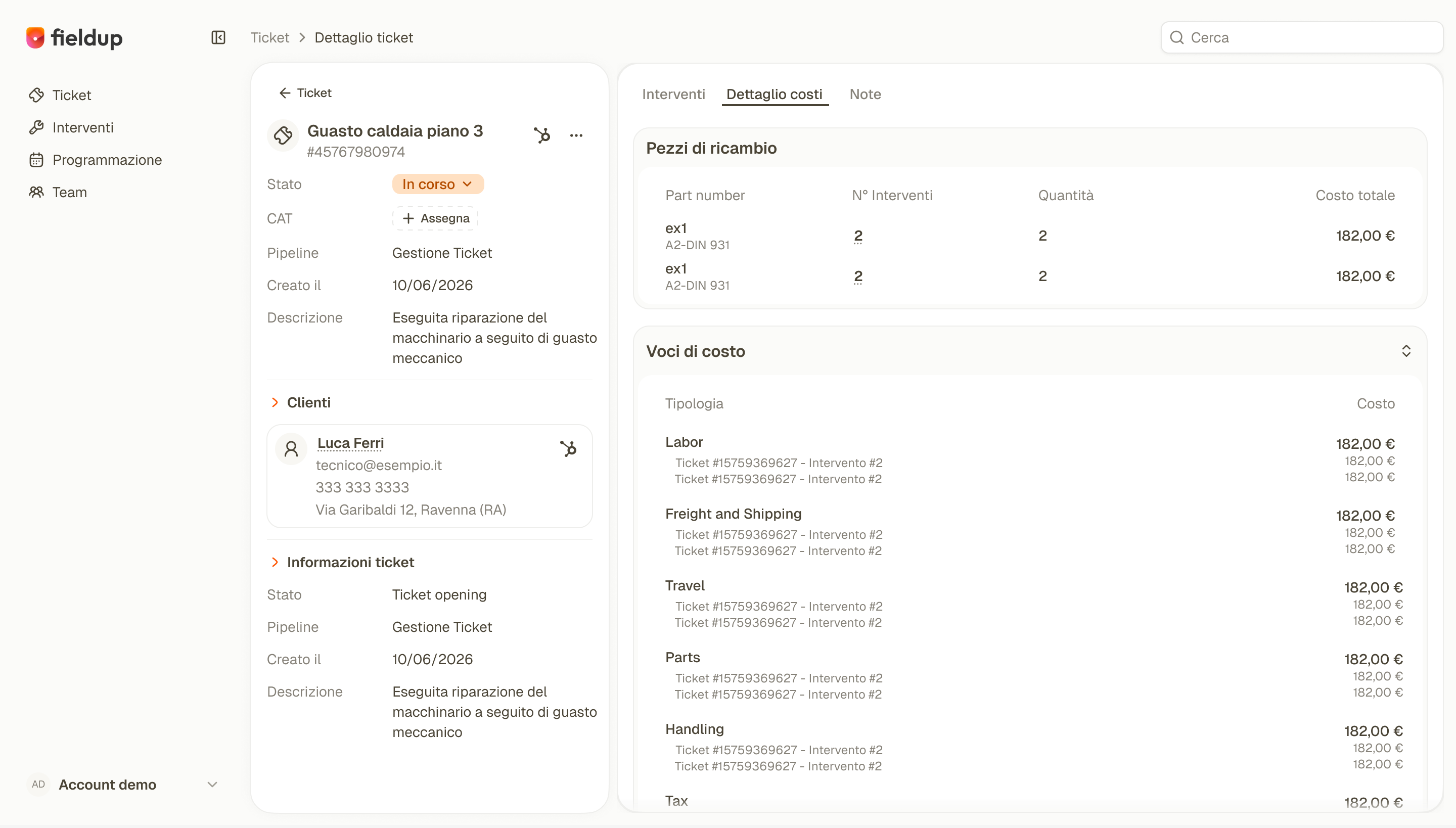
Report and costs in one place
The technician's job report, spare parts and cost summary: labor, transport, travel expenses and taxes.
-
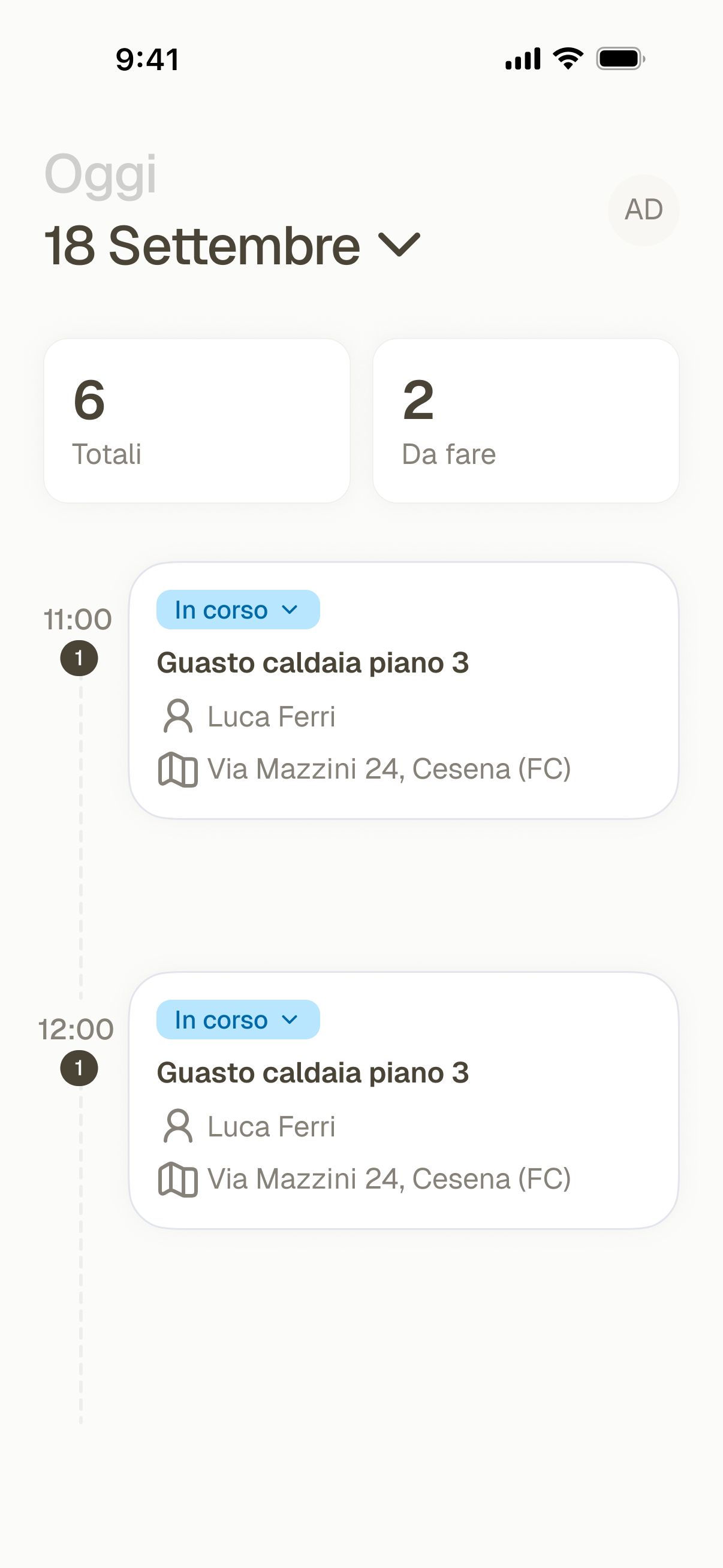
The job in the technician's pocket
Assigned jobs, details, notes, attachments, job report and status changes, on Android and iOS.
Works with the tools you already use

Use your HubSpot contacts, companies, deals and tickets to manage field service jobs.

Sync ERP data with HubSpot.

Manage loyalty programs in HubSpot.